Business · 6 min read
Create a WhatsApp wa.me link for your business in Kenya
Make a click-to-chat link with a Kenyan number and optional product message, then test it before adding it to your business profiles.
By Dismus Nganyi · Published 10 November 2026 · Last reviewed 10 November 2026
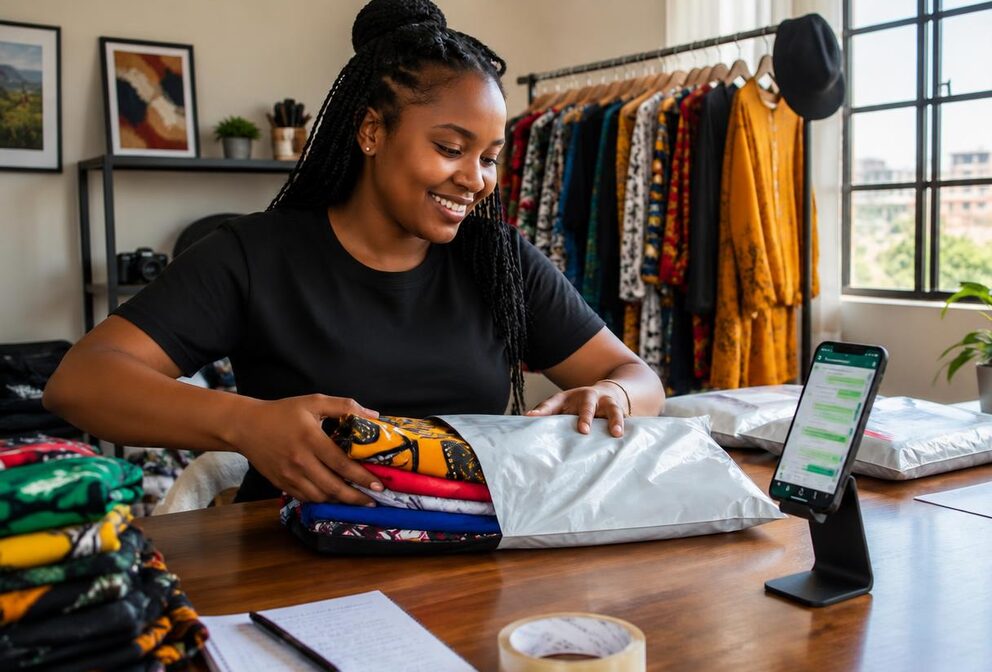
If you sell clothes on Instagram, cakes through Facebook or household items on TikTok, customers often need one clear way to ask a question. A WhatsApp click-to-chat link opens a conversation without making the customer save your number first. It can reduce typing and help an enquiry reach the correct business line. It does not guarantee sales or replace clear prices, reliable service and honest product information.
Cyber Kenya's free WhatsApp Link Generator takes a Kenyan number and an optional message, then gives you a wa.me link to copy or open for testing. It does not send messages itself. The customer still decides whether to open WhatsApp, edit the draft and send the enquiry. This makes the link a convenient starting point for a conversation, not an automatic marketing system.
How a wa.me link works
WhatsApp’s official click-to-chat guidance says the recipient needs an active WhatsApp account. The link contains the recipient’s number in international format, so WhatsApp can identify the conversation to open. Click to chat works on phones and WhatsApp Web, although the customer’s device, login state and installed apps can affect what they see first. Test the experience instead of assuming every customer will see your own phone’s exact sequence.
There are two useful versions for a seller: a number-only link for general enquiries, and a number link with pre-filled text for a particular product or campaign. The second version puts a draft message into the chat text field. It does not send that draft automatically, and the buyer may change or delete it. Never treat a pre-filled message as proof that someone has placed a confirmed order.
Use the Kenyan number in the correct format
For a wa.me link, use country code 254 followed by the Kenyan number without its local leading zero. The example 0712 345 678 becomes 254712345678. This is an illustration of formatting, not a contact number to publish for your shop. Use your own active WhatsApp business contact. The link’s number portion should not contain a plus sign, spaces, brackets or dashes.
Remove the local leading zero, not every zero inside the phone number. Internal zeros remain part of the number and deleting them would change the recipient. Do not add 254 twice to a number already in international format. WhatsApp’s general international contact format may show a plus sign, but its click-to-chat link format omits that sign. These are different presentations of the same country-code idea.
Create and test your link step by step
- 1Open Cyber Kenya's free WhatsApp Link Generator and enter the Kenyan phone number customers should contact. The tool converts a local Kenyan number into 254 format.
- 2Add an optional pre-filled message. Keep it short and useful, such as a product name, size enquiry or delivery question.
- 3Read the number and message carefully before copying. Check that the business actually monitors this WhatsApp line.
- 4Use the open or test option to inspect the result. Confirm that it leads to the intended recipient and displays the right draft text.
- 5Copy the generated wa.me link and place it in the supported link field on your chosen business profile or page.
- 6Test again from the published profile, preferably on another device. Check the actual customer route rather than only the link inside the generator.
Write messages that help you answer faster
A useful draft tells you what the buyer saw without forcing them to complete a long questionnaire. Include the product name or code and one relevant question. Keep the wording in the customer’s voice. A message that reads like a completed purchase can be misleading when the buyer only wants availability. Avoid putting private customer details into a public link, because anyone can copy and view the text encoded in it.
- Clothing: Hello, I am asking about the blue linen shirt, product SH04. Is size medium available?
- Cakes: Hello, I would like to ask about your chocolate birthday cake. Can you confirm available sizes and prices?
- Furniture: Hello, I saw the two-seat sofa, product SF12. What is the current price and delivery arrangement?
- Beauty products: Hello, is the moisturiser shown in your post available? Please confirm the pack size and price.
- Cyber services: Hello, I would like to ask about document printing. What information do you need for a quotation?
Create separate links for different products by changing the optional message and copying each new result. Keep a simple record of which message belongs to which product. This can help you recognise the enquiry’s context, but the generator does not provide tracking reports, automatic replies or a customer database. If a buyer edits the draft, you may still need to ask which product they mean.
Use links carefully on Instagram, Facebook and TikTok
On Instagram, put the link in an available profile link field and explain what the contact is for. For example, say that customers can ask about stock or delivery through WhatsApp. Do not assume that a raw address in every caption becomes clickable. Link placement and account features can change, so check what your account currently supports and test the published result from the buyer’s point of view.
On Facebook, use an available page contact or website field and include the link in relevant posts where supported. Place it next to enough product information that the customer understands what they are asking about. A link buried under unrelated text is easy to miss. If you change the business contact number, update older pinned posts and page details too, rather than editing only your newest post.
On TikTok, use the profile link options available to your account. Do not promise yourself a clickable bio link if your account does not offer that field. If it is unavailable, provide a clear supported contact route rather than writing instructions that lead nowhere. For adverts on any platform, follow that platform’s current destination and advertising rules; a generated wa.me link is not an approved advertising campaign by itself.
Prepare your replies before inviting enquiries
A specific product message is useful only if your response answers it. Keep current stock, prices and delivery information ready so you can reply accurately. If the product is unavailable, say so and offer alternatives without pretending the advertised item is in stock. Agree the item, quantity, total amount and fulfilment arrangement before treating the discussion as an order. A chat opening is not payment confirmation.
Use a business contact you are comfortable making public. Putting the number in a wa.me link does not hide it, and public links can attract spam. Avoid placing your private family number in a business bio unless that exposure is intentional. If several people manage enquiries, agree who responds and how orders are recorded. The generator does not assign conversations to staff or prevent duplicate replies.
Troubleshoot safely
If the link fails, check the number conversion, confirm that the recipient account is active, and test on another device. If the wrong draft appears, generate and copy the link again rather than manually changing its encoded characters. WhatsApp’s official FAQ specifies URL-encoded text for pre-filled messages. Using the generator avoids having to construct that text by hand, but a final test is still necessary.
Tip: Cyber Kenya never asks for your passwords, M-Pesa PIN or one-time codes. Creating a click-to-chat link needs the public contact number and optional draft message, not access to your WhatsApp account. A person claiming that your link needs a verification code may be attempting to take over the account.