Digital Skills · 7 min read
How to buy KPLC prepaid tokens through M-Pesa
Use Kenya Power Paybill 888880, retrieve delayed tokens through official channels and troubleshoot common meter-loading problems.
By Dismus Nganyi · Published 10 November 2026 · Last reviewed 10 November 2026
Kenya Power’s official prepaid token Paybill is 888880, and the account number is your prepaid meter number. Check both before paying. The M-Pesa transaction confirmation proves that money was sent, while the electricity token is the code you load into the meter. Keep both messages until you have confirmed the units were accepted.
You can use the M-Pesa menu or the Paybill facility available in the official M-Pesa app. App screens can change, but the verified Paybill and correct meter number remain the important details. You authorise payment on your own phone. Cyber Kenya never asks for your M-Pesa PIN, OTP, account password or reset link.
1. Confirm your meter before buying
Get the prepaid meter number from a reliable record, such as a previous successful token message, and compare it with the meter information for your home. Do not confuse it with a postpaid electricity account, a landlord’s payment reference or the token itself. If you recently moved, confirm which meter supplies your unit before reusing a saved account.
Check each digit rather than relying on a contact name or a handwritten label. If several homes share a compound, ask for the correct meter identification and verify it against existing records. Do not buy a small test token for an uncertain number as a substitute for checking; even a small wrong-meter purchase creates a payment problem to resolve.
2. Buy through the M-Pesa Paybill menu
- 1Open M-Pesa on your phone and choose Lipa na M-Pesa, then Pay Bill. In the official M-Pesa app, use its Paybill payment facility and follow the current prompts.
- 2Enter 888880 as the business number. This is Kenya Power’s verified prepaid token Paybill, not a personal mobile number.
- 3Enter your prepaid meter number as the account number. Read it back carefully, especially if it was copied from a message.
- 4Enter the amount you want to spend. Review the payment details and any charges shown by M-Pesa before authorising.
- 5Enter your M-Pesa PIN privately on your own phone and complete the payment confirmation prompts. Never dictate the PIN to someone helping you.
- 6Keep the M-Pesa confirmation and the token message. Check that the token purchase details correspond to the meter you intended to credit.
If you use a saved favourite in an app, review its business and account numbers before every purchase. A convenient shortcut can still hold an old meter number. Avoid copying a Paybill from an advert claiming special discounted Kenya Power tokens, and do not send payment to an individual who promises to purchase cheaper units for you.
Tip: Save the meter number with a clear label such as the house or shop it supplies, but still verify the digits on the payment screen. Never store your M-Pesa PIN in that label or in a shared note.
3. Use Kenya Power’s official self-service alternative
Kenya Power’s self-service page describes *977# for prepaid services and says that this USSD service is currently limited to the Safaricom network. It also says airtime is needed and network charges apply to relevant enquiries. Follow the current menu rather than assuming that an old screenshot has the latest option numbers.
- 1Dial *977# on your Safaricom line and select prepaid services.
- 2Choose the buy-token option, enter your meter number and specify the purchase amount when prompted.
- 3Follow the official flow to M-Pesa and authorise the payment yourself. Check the meter details before entering your PIN.
- 4Retain the payment reference and token message just as you would for a direct Paybill purchase.
This is an alternative entry point to the purchase, not a reason to pay twice. If you already authorised a payment and are waiting for its token, retrieve or query that transaction before starting another purchase. A second payment can produce another token without resolving the first enquiry.
4. Retrieve a delayed or missing token
First distinguish no payment from no token message. Check whether M-Pesa confirms a successful debit and record the transaction reference, amount, time and meter number used. Search your messages in case the token arrived in an older conversation or a filtered folder. Do not delete the payment confirmation while trying to clear your inbox.
- 1Dial *977# and open prepaid services. Choose latest token and select or add the correct meter as the menu directs.
- 2Confirm the enquiry details. Kenya Power says this option sends an SMS with details of the last three purchased tokens; network charges apply.
- 3For a specific recent purchase, use the token-details option where available and select the relevant M-Pesa reference number.
- 4If the purchase cannot be found or the reference does not appear, contact Kenya Power with the transaction details rather than repeatedly paying again.
An M-Pesa reference is not the electricity token and cannot be entered into the meter as units. If the payment failed or was reversed, confirm that status through the official payment channel. Do not assume a token exists merely because you started the payment screen. Keep any reversal message with the original transaction record.
5. Load the token into the meter
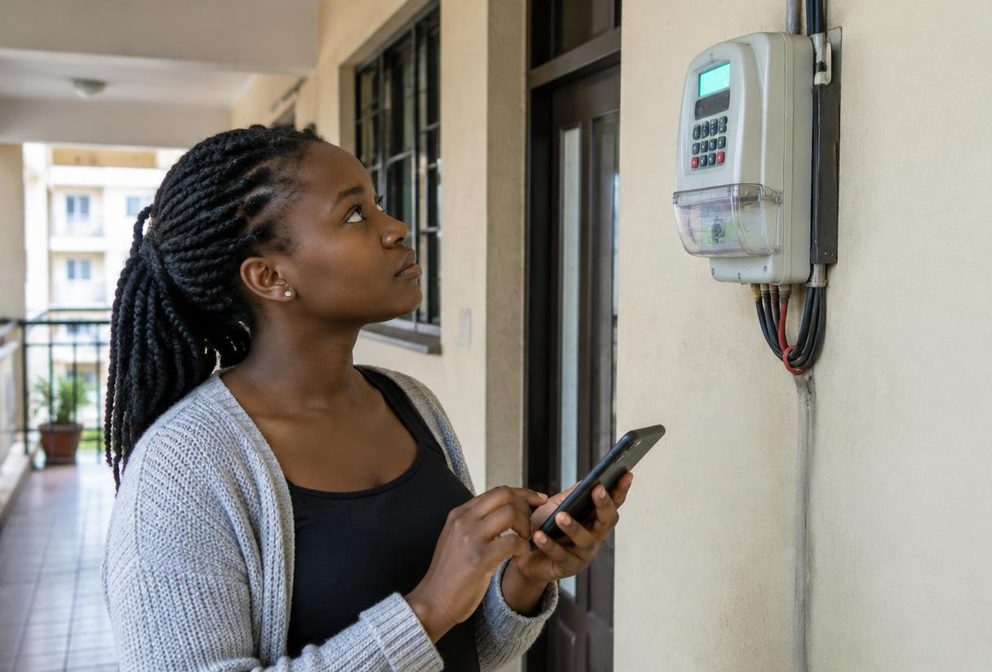
Kenya Power describes loading a token by connecting the Customer Interface Unit, or CIU, to a wall socket, entering the 20-digit token number and pressing Enter. The CIU is the keypad unit used to communicate with the meter. Enter the token exactly as issued and watch for the response before trying it again.
If the keypad needs batteries, check that they are adequately powered. Kenya Power notes that low batteries can prevent communication and that the CIU does not charge them. Use the socket previously used successfully where possible and follow instructions for your meter model. Do not open the sealed meter, touch exposed wiring or climb to equipment on a pole to troubleshoot.
6. Separate token errors from communication failures
- For a rejected token, compare all digits with the message and confirm it was purchased for this meter. Note the exact displayed error before contacting support.
- For an already-used response, check whether the token was previously loaded and whether the displayed units changed. Do not expect the same purchase to add units twice.
- For a connection failure, check the CIU power and batteries. Kenya Power advises reporting pole-mounted meter connection problems for official attention rather than attempting repairs yourself.
- For persistent problems, ask Kenya Power for model-specific instructions. Its FAQ says pairing codes differ by meter model, so do not copy random reset or pairing codes from videos.
If payment went to the wrong meter, retain the messages and report the error promptly to Kenya Power and, where relevant, M-Pesa support through official channels. Do not promise the intended recipient a reversal. Cyber Kenya cannot reverse M-Pesa transactions, transfer electricity credit or generate a replacement token.
7. Contact official Kenya Power customer care
Kenya Power’s contact page lists 97771, the National Contact Centre number +254 703 070 707 and customercare@kplc.co.ke. It also lists *977# for self-service. Verify these contacts on kplc.co.ke if someone sends you a different support number. No legitimate token enquiry requires you to reveal your M-Pesa PIN.
Tip: Prepare a short support message with the meter number, payment reference, amount, purchase time and exact error. Share personal transaction details only through official support, not in public comments, and keep the case reference for follow-up.